Automatic inserts allow you to inject ads or groups without implementing shortcodes or using template tags. Inserts allow you to display your ads in various insert positions throughout your site.
Creating automatic inserts
Automatic inserts can be created under Ad Commander -> Manage Inserts -> Add New. To automatically inject and ad or ad group, simply select the placement position, add one or more placement items (ads or groups), and publish your placement.
To fine-tune your automatic ad inserts, you can combine your placement positions with Content Targeting settings. This allows you to go beyond positions like “before content.” For example, you could use the “before content” position, combined with a content targeting of “Post Type.” This would display your automatic placement only on a specific post type, rather than before all content on your site.
Multiple inserts in the same location
In some cases, you may have multiple automatic inserts that display in the same location. An example of this would be two different inserts that include two different ad groups, use the same placement position, and have some (but not all) overlapping content targeting settings. (Note that if all settings were the same, it would be better practice to use a single automatic placement with multiple ad groups.)
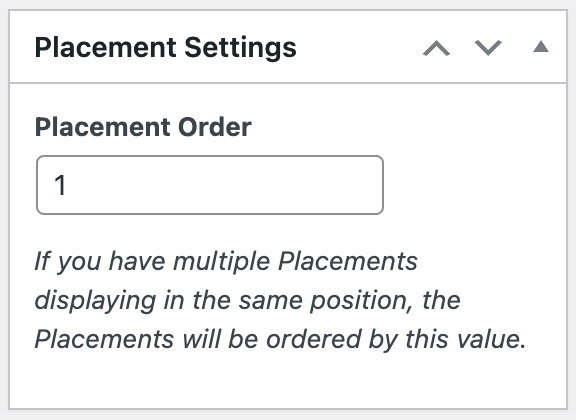
When multiple inserts display in the same location, the “Insert Order” setting will be used to determine which placement should be injected first. This could be especially important if implementing multiple script code ads that share data or variables.
Plugin conflicts
The nature of automatic inserts makes them susceptible to conflict with other plugins. If you are having problems with your automatic inserts, please contact support and include a description of the problem and a list of all plugins implemented on your site.
Manual inserts
Ads and groups can also be manually placed using shortcodes, template tags, and blocks. For information on how these work, visit the manual inserts documentation.